Managing sales outreach, client updates, or internal broadcasts through traditional email marketing platforms often feels needlessly complex. For years, businesses turned to legacy Email Service Providers (ESPs) like Mailchimp to handle high-volume communications. However, modern teams are hitting clear operational limits: rising monthly subscriber fees, overly complex HTML layout builders, and alarming drops in email deliverability where messages end up buried in recipient “Promotions” or “Spam” tabs.
The digital communications landscape has shifted. Instead of routing messages through third-party marketing servers that automatically trigger email security filters, smart businesses use native Gmail mail merge platforms.
When your objective is sending high-converting, human-to-human communications directly from your standard inbox, it is time to say goodbye to traditional marketing tools. Discover how selecting a dedicated SaaS Tool to Send Personalized Bulk Emails directly from Gmail—such as EasyFlow Mail Merge by Amyntas Media Services—can upgrade your inbox placement, lower overhead costs, and simplify your bulk emailing workflow.
TABLE OF CONTENT
ToggleLegacy marketing platforms were originally engineered for broadcasting generic, image-heavy newsletter campaigns. However, modern business communication depends on direct 1-to-1 personalization. When you send messages through third-party platforms like Mailchimp, your emails carry external sending headers, tracking pixels, mandatory unsubscribe footers, and shared marketing server IP addresses. Receiving email gateways like Gmail, Outlook, and Apple Mail analyze these technical markers and automatically classify your messages as commercial promotions.
LEGACY MARKETING PLATFORMS (e.g., Mailchimp):
+--------------------+     +-------------------+     +---------------------+
|  Your Email Draft  | --> | Shared ESP Server | --> |   Promotions Tab    |
| (Complex HTML/CSS) |     | (Marketing IPs)   |     | (Low Open Rates)    |
+--------------------+     +-------------------+     +---------------------+

GMAIL-NATIVE SAAS TOOLS (e.g., EasyFlow by Amyntas Media):
+--------------------+     +-------------------+     +---------------------+
|  Google Sheet Data | --> |  Gmail API / Web  | --> |   Primary Inbox     |
| (Simple Personalization)| | (Personal IP)     |     | (High Open & Click) |
+--------------------+     +-------------------+     +---------------------+
Reduced Primary Inbox Delivery: Commercial marketing servers routinely bypass the main inbox and land in promotional tabs or junk folders.
Contact-Based Pricing Tax: Legacy tools charge you based on your total stored database size, penalizing you even for contacts you email infrequently.
Heavy HTML Overhead: Drag-and-drop template builders inject complex inline code, which triggers modern spam filters.
Lack of Authenticity: Plain-text or lightly formatted emails dispatched from a verified, personal Google account feel authentic, resulting in higher reply rates.
Adopting an easy-to-use SaaS Tool to Send Personalized Bulk Emails allows your messages to route directly through Google’s native mail servers, helping your outreach reach the primary inbox consistently.
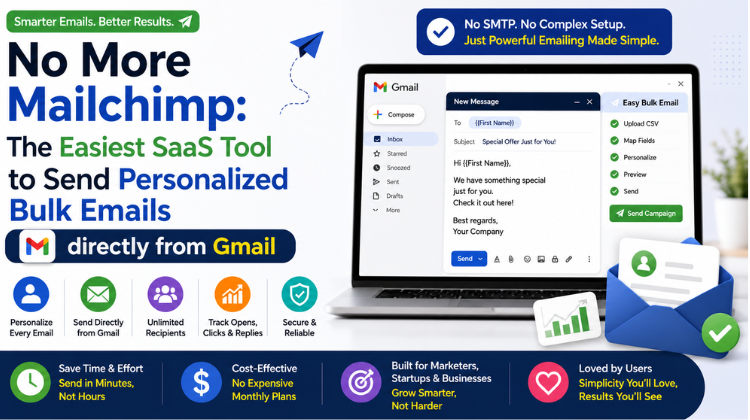
A native Gmail mail merge platform operates as a lightweight Google Workspace add-on or browser extension. It bridges your Google Sheets contact lists directly with your standard Gmail drafting window.
Rather than exporting CSV files to configure campaigns on external websites, you write your email draft directly inside Gmail. The extension pulls dynamic merge fields—such as {{First_Name}}, {{Company}}, {{Invoice_Number}}, or {{Custom_Topic}}—directly from your spreadsheet rows and dispatches individual, tailored communications.
Primary Inbox Placement: Messages originate from your verified Google Workspace account, effortlessly aligning with SPF, DKIM, and DMARC parameters.
Native Ecosystem Workflow: Connect Google Sheets, Google Docs, and Gmail without relying on fragile third-party Webhook connectors.
Cost Efficiency: Top-performing native mail merge tools cost a fraction of traditional marketing software while decoupling contact list sizes from software pricing.
Zero Learning Curve: Anyone comfortable writing emails in Gmail and managing a Google Sheet can run campaigns immediately.
Several mail merge utilities let you convert Google accounts into mass email engines. Assessing their architecture, data security standards, and feature sets ensures you choose software that aligns with your operational goals.
| Feature / Metric | EasyFlow by Amyntas Media | GMass | YAMM (Yet Another Mail Merge) |
| Primary Advantage | Speed, High Privacy & Local Enterprise Support | High-Volume Outbound Sequences | Basic Spreadsheet Merging |
| Integration Model | Google Workspace / Sheets Native | Chrome Extension overlay | Google Sheets Add-on |
| Sending Speed | High-performance modern architecture | Moderate | Can lag on large data sets |
| Data Privacy | Strict security compliance | Requires full inbox access | Requires inbox read access |
| Deliverability Engine | Humanized sending intervals | Advanced sequence algorithms | Basic delivery controls |
| Ease of Use Rating | 5 / 5 (Streamlined UI) | 4.2 / 5 | 4.4 / 5 |
EasyFlow by Amyntas Media Services is an email automation platform designed for modern professionals. Built on modern software architecture, EasyFlow processes large Google Sheets rapidly without freezing browsers. It features automated sending throttling, real-time open and click tracking, customized attachment options, and seamless Google Workspace integration.
GMass is a feature-rich sales outreach plugin that operates as an overlay inside Gmail. It offers automated multi-stage follow-up sequences, A/B testing capabilities, and external SMTP routing options.
YAMM is an older add-on that runs inside Google Sheets. While useful for basic mail merges, legacy tools can struggle with speed bottlenecks and browser lag when handling large contact lists compared to newer platforms like EasyFlow.
Using a modern SaaS Tool to Send Personalized Bulk Emails allows you to scale outreach while protecting domain reputation and sending limits.
Software should simplify your work, not add extra steps. EasyFlow by Amyntas Media Services provides an intuitive mail merge workflow that allows anyone—from sales reps and HR managers to startup founders—to launch bulk email campaigns without technical barriers.
+-----------------------------------------------------------------------------------+
|               EasyFlow Mail Merge: Easy Flow for Everyone Workflow               |
+-----------------------------------------------------------------------------------+
|  Step 1  | Organize data in Google Sheets (Email, First Name, Custom Fields).     |
|  Step 2  | Draft your message inside Gmail using {{Variable}} tags.               |
|  Step 3  | Launch EasyFlow directly within your Google Workspace environment.         |
|  Step 4  | Run an instant automated preview & adjust human-like sending rates.     |
|  Step 5  | Click Send & monitor real-time delivery analytics in your Sheet.          |
+-----------------------------------------------------------------------------------+
Set up a spreadsheet in Google Sheets. Place your data in clear columns:
Email (Required)
First Name
Company Name
Custom Parameter
Plaintext
+----------------------+------------+------------------+-----------------------+
| Email                | First Name | Company Name     | Custom Parameter      |
+----------------------+------------+------------------+-----------------------+
| deepak@example.com   | Deepak     | Apex Tech        | Cloud Infrastructure  |
| priya@example.com    | Priya      | Nexus Solutions  | Workspace Security    |
+----------------------+------------+------------------+-----------------------+
Open your normal Gmail draft window. Write your email in simple text, inserting double curly braces to pull dynamic merge tags directly from your spreadsheet:
Subject: Strategic update regarding
{{Company Name}}Hi
{{First Name}},I was reviewing
{{Company Name}}recently and noticed your team is actively expanding your{{Custom Parameter}}setup.Would you be open to a brief 5-minute conversation later this week?
Warm regards,
Your Name
Launch the EasyFlow Mail Merge add-on. The tool detects your active Gmail draft and maps it against your Google Sheet columns. Click Preview to review personalized messages before they go out.
To keep your domain clear of automated security filters, EasyFlow introduces intelligent sending delays between individual emails. This mimics natural typing and sending patterns, protecting your sending score.
Click Send. EasyFlow dispatches individualized emails through your Google Workspace connection while updating your Google Sheet in real time with open, click, and response data.
Even when deploying a specialized SaaS Tool to Send Personalized Bulk Emails, you must observe Google’s daily sending limits and security guidelines to maintain optimal deliverability.
+---------------------------------------------------------------------------------+
|                       Google Workspace Sending Capacity Limits                  |
+-------------------------------+-------------------------------------------------+
| Standard Free Gmail (@gmail)  | Up to 500 emails per 24-hour rolling period     |
| Google Workspace Business     | Up to 2,000 emails per day per individual seat  |
| Warm-Up Zone (New Domains)    | Start at 20-50/day; ramp up over 3-4 weeks      |
+-------------------------------+-------------------------------------------------+
SPF (Sender Policy Framework): Publish a DNS record specifying Google as an authorized sender (v=spf1 include:_spf.google.com ~all).
DKIM (DomainKeys Identified Mail): Generate a public key in your Google Workspace Admin console to sign outgoing email headers cryptographically.
DMARC (Domain-based Message Authentication): Implement a DMARC policy (v=DMARC1; p=quarantine;) to prevent unauthorized domain spoofing.
Clean List Maintenance: Regularly clean your contact lists. Keeping hard bounce rates under 1% protects your domain score with major email providers.
Moving your outreach to a native Gmail mail merge solution delivers major cost savings while improving engagement rates.
+---------------------------------------------------------------------------------+
|                       Annual Software Cost Comparison                           |
+---------------------------------------------------------------------------------+
| Mailchimp Standard Plan (10,000 Contacts):   ~$1,600 / Year                      |
| EasyFlow Mail Merge (Unlimited Contacts):     ~$60 - $180 / Year                 |
| ANNUAL OVERHEAD SAVINGS:                     ~$1,400+ per user seat             |
+---------------------------------------------------------------------------------+
Traditional marketing platforms charge tiered monthly pricing based on your overall contact count. If your list grows to 20,000 leads, your bill increases significantly—even if you rarely contact those subscribers.
Choosing a native SaaS Tool to Send Personalized Bulk Emails separates contact storage from software fees. Because contact data lives in Google Sheets, native tools offer straightforward pricing per user seat without charging extra for list growth. No More Mailchimp: The Easiest SaaS Tool to Send Personalized Bulk Emails directly from Gmail
Delivering emails to the primary inbox is step one; crafting compelling copy is step two. Follow these outreach principles to turn opens into conversations:
Avoid clickbait headlines like “SPECIAL DISCOUNT OFFER JUST FOR YOU!” Instead, craft subject lines that look like standard business communication:
Quick question regarding product roadmap
Ideas for your team’s upcoming project
Following up on our conversation
Lengthy marketing layouts often lose reader interest. Keep email body copy under 150 words. Focus on a clear value proposition and conclude with a low-friction Call-To-Action (CTA), such as: “Are you available for a brief call on Tuesday morning?”
Most business responses occur during follow-up messages. Utilize the automated follow-up features within your SaaS Tool to Send Personalized Bulk Emails to trigger polite follow-up messages if a contact doesn’t reply within 3 to 5 business days. No More Mailchimp: The Easiest SaaS Tool to Send Personalized Bulk Emails directly from Gmail
Relying on legacy marketing tools for sales outreach, client communications, and business updates introduces unnecessary costs and deliverability risks. Transitioning to a native Gmail workflow provides:
Direct access to the Primary Inbox.
Simple campaign setup powered by Google Sheets and Gmail.
High data privacy standards that protect your contact data.
Predictable, affordable pricing without contact storage penalties.
By using an easy-to-use SaaS Tool to Send Personalized Bulk Emails—such as EasyFlow by Amyntas Media Services—you can scale your communication, build stronger customer connections, and drive measurable revenue directly from your inbox.
Domain Name System # SPF Record # DKIM Signature # DMARC Policy # Email Deliverability # Hosting Configuration # Cold Email Outreach # Email Warmup # Custom Domain Email # DNS Management # MX Records # Email Deliverability Best Practices # Gurgaon Digital Marketing # Amyntas Media Services # Inbound Marketing 2026 # Technical SEO # Email Authentication # BIMI Protocol # Zero Click SEO # Email Marketing Strategy # Custom Email Setup # Server IP Reputation # Anti Spam Filters # Email Deliverability Tips # Business Email Hosting # Google Workspace Setup # Zoho Mail Configuration # Transactional Email # Domain Authority # Brand Reputation Management # Digital Marketing Agency Gurgaon # Search Engine Optimization 2026 # Shared Hosting Vs VPS # PTR Record Setup
Answer: The easiest SaaS tool to send personalized bulk emails directly from Gmail is a native mail merge solution like EasyFlow by Amyntas Media Services. It works directly within your Google Workspace ecosystem. The software reads contact data stored in Google Sheets, populates personalized variables (such as first names, company details, or unique notes) into a Gmail draft, and sends individual messages through Google’s secure mail servers. No More Mailchimp: The Easiest SaaS Tool to Send Personalized Bulk Emails directly from Gmail
Answer: EasyFlow by Amyntas Media Services provides three key advantages over Mailchimp:
Primary Inbox Delivery: Messages are sent through your authenticated Google Workspace account rather than shared promotional servers, helping you bypass the “Promotions” and “Spam” tabs.
Cost Savings: EasyFlow offers accessible, flat-rate pricing per user seat with unlimited contact storage, avoiding Mailchimp’s contact-based subscriber fees.
Higher Response Rates: Personal, text-focused emails sent from your own inbox feel authentic, generating higher open and reply rates. No More Mailchimp: The Easiest SaaS Tool to Send Personalized Bulk Emails directly from Gmail
Answer: Daily sending capacity is governed by Google’s account limits:
Standard Free Gmail (@gmail.com): Up to 500 emails per 24-hour rolling window.
Google Workspace Paid Business Accounts (@yourcompany.com): Up to 2,000 emails per day per user seat.
Tools like EasyFlow provide automated throttling and humanized sending intervals to manage these limits safely. No More Mailchimp: The Easiest SaaS Tool to Send Personalized Bulk Emails directly from Gmail
Answer: Organizations partner with Amyntas Media Services (located in Gurgaon, Sector 48 / Jharsa Chowk) because they are an authorized Google Workspace Premier Reseller and IT technology provider. Amyntas Media Services offers:
End-to-End Google Workspace Integration: Certified setup of Google Workspace, DNS security records (SPF, DKIM, DMARC), and cloud migration services.
Proprietary Automation Tools: Access to EasyFlow, a fast, secure mail merge platform tailored for growing teams.
Local Enterprise Support: Direct assistance, training, and GST-compliant invoicing for businesses across Gurgaon and the Delhi NCR region. No More Mailchimp: The Easiest SaaS Tool to Send Personalized Bulk Emails directly from Gmail
Answer: Yes, EasyFlow by Amyntas Media Services includes performance tracking and dynamic attachment options. You can monitor real-time open rates, link clicks, and campaign engagement directly inside your Google Sheet. Additionally, EasyFlow allows you to send unique, personalized attachments (such as invoices or custom PDFs) mapped to specific contact rows. No More Mailchimp: The Easiest SaaS Tool to Send Personalized Bulk Emails directly from Gmail
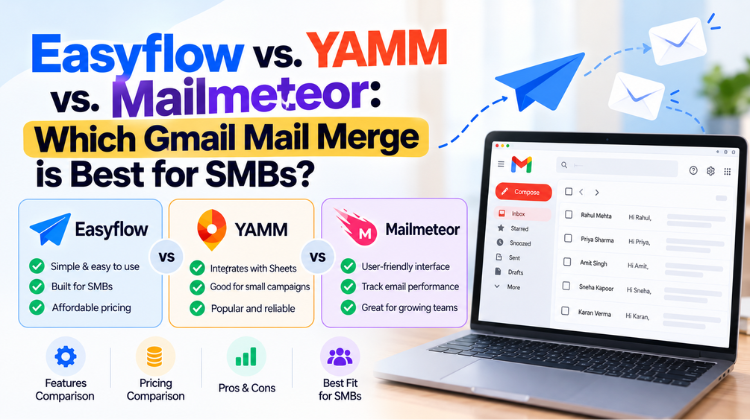 Easyflow vs. YAMM vs. Mailmeteor: Which Gmail Mail Merge is Best for SMBs?
 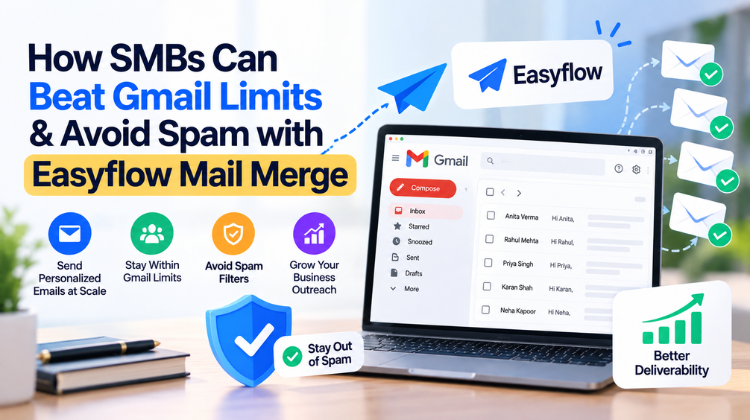 How SMBs Can Beat Gmail Limits & Avoid Spam with Easyflow Mail Merge
 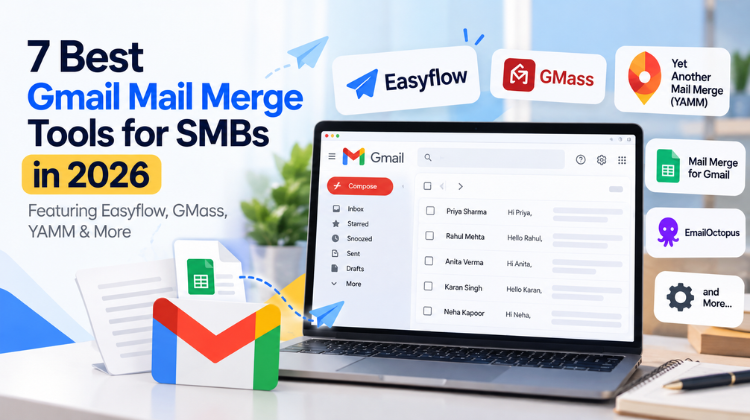 7 Best Gmail Mail Merge Tools for SMBs in 2026 (Featuring Easyflow, GMass, YAMM & More)
 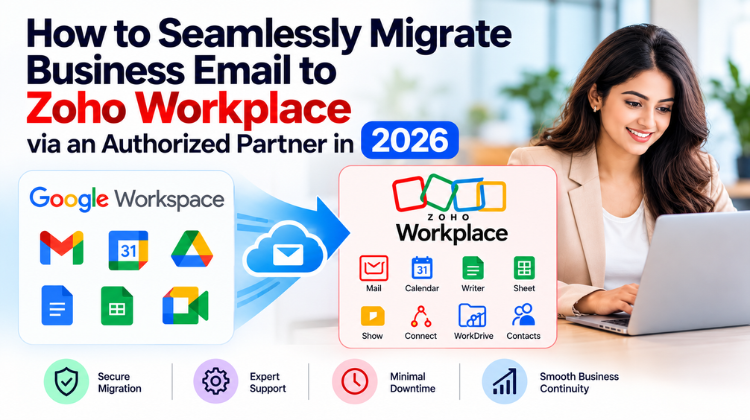 What Is the Safest Way to Buy a Zoho Workplace License Through a Partner?
  How to Seamlessly Migrate Business Email to Zoho Workplace via an Authorized Partner in 2026


© 2026 All Rights Reserved | Designed by Amyntas Media Works