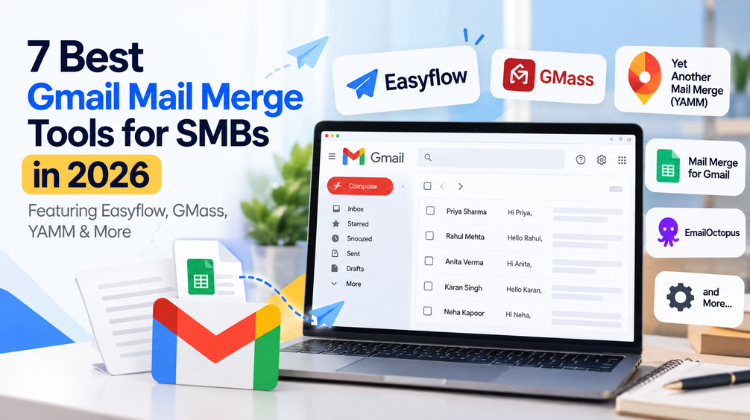
In today’s digital marketplace, outreach, relationship management, and client communication drive business growth. Small and Medium-sized Businesses (SMBs) must scale personalized communication without incurring high costs or sacrificing inbox deliverability.
Using the best Gmail mail merge tools for SMBs allows lean teams to execute mass email campaigns directly from their Google Workspace environments. Instead of buying expensive enterprise sales engagement software, SMBs can turn Google Sheets and Gmail into automated marketing platforms.
This comprehensive guide evaluates the market to help you find the best Gmail mail merge tools for SMBs. We inspect features, email deliverability, ease of use, pricing, and document generation capabilities.
TABLE OF CONTENT
ToggleA Gmail mail merge tool connects recipient data stored in spreadsheets (like Google Sheets) with email templates written in Gmail or Google Docs. Using dynamic placeholder tags like {{First Name}}, {{Company}}, or {{Custom Field}}, the software automatically populates custom information into each outgoing email.
Higher Deliverability: Messages are dispatched directly from your primary business Gmail account, appearing in primary inboxes rather than promotional tabs.
Cost Efficiency: Mail merge tools cost a fraction of traditional CRM suites or email marketing platforms.
Workflow Convenience: Your team works within familiar platforms—Google Sheets, Google Docs, and Gmail—eliminating steep learning curves.
Tailored Attachments: Top tools generate unique PDF files (invoices, certificates, proposals) automatically for each recipient.
Selecting the best Gmail mail merge tools for SMBs requires looking beyond basic mass emailing capabilities. Evaluate prospective tools against these crucial standards:
Seamless Google Workspace Integration: Native operation within Google Sheets, Docs, and Gmail ensures high execution speed and data security.
Deliverability & Spam Protection: Look for features like custom sending intervals, automatic campaign pause options, and email warm-up support to protect your domain health.
Personalization and Dynamic Attachments: Premium options build custom PDF documents on the fly and attach tailored files to individual messages.
Real-time Tracking and Analytics: Immediate visibility into email opens, link clicks, bounces, and recipient responses directly in your spreadsheet.
Value for Money: Clear pricing models tailored to growing teams without hidden fees or per-contact overages.
+-----------------------------------------------------------------------+
|                        EASYFLOW MAIL MERGE                            |
|  - Platform: Google Sheets, Google Docs & Gmail Add-on               |
|  - Key Feature: PDF Document Generation + Dynamic Attachments        |
|  - Best For: SMBs needing custom outreach, invoices & documents      |
+-----------------------------------------------------------------------+
Easyflow Mail Merge, developed by Amyntas Media Services, stands out as a versatile, high-performance option for SMBs. Designed to work natively across Google Workspace, Easyflow allows users to run mail merges from Google Sheets, Google Docs, or Gmail drafts.
Multi-Format Document Generation: Create custom invoices, contracts, proposals, and certificates in PDF, DOCX, or Google Docs format from spreadsheet data.
Dynamic PDF Attachments: Automatically convert Google Docs templates into personalized PDF attachments sent instantly alongside merged emails.
Live Email Status Tracking: Logs opens, replies, sends, and bounce statuses directly within your Google Sheet.
Data Security Guarantee: Executes operations within your Google account infrastructure without storing confidential files or private recipient data on external servers.
Easyflow bridges the gap between bulk email sending and personalized document delivery. Whether your sales team distributes client proposals or HR sends unique onboarding letters, Easyflow streamlines the workflow without complex third-party software.
GMass is a well-known mail merge extension built specifically for sales outreach and cold email campaigns inside Gmail.
Massive Volume Distribution: Breaks standard daily limits by distributing high-volume campaigns over consecutive days.
Cold Email Sequences: Automatically sends follow-up emails based on user interaction (opens or clicks).
Email Verification: Integrates built-in email validation to minimize bounce rates.
The interface can feel cluttered inside Gmail, and higher-tier plans may get costly for multiple team accounts.
YAMM is a simple, user-friendly mail merge extension operating inside Google Sheets.
One-Click Execution: Simple mail merge setup for straightforward, single-stage email campaigns.
Interactive Tracking Dashboard: Views email opens, bounces, and link clicks inside Google Sheets.
Poll & Survey Integration: Enables quick voter polls directly inside merged email templates.
Advanced automated follow-up logic and custom PDF document creation require extra plugins or higher plan tiers.
Mailmeteor prioritizes data privacy and straightforward performance for Google Workspace accounts.
Privacy-First Design: Requires minimal Google permissions to operate securely.
Autodelay & Scheduling: Staggers email sending times to mimic human behavior and protect domain health.
Email Preview & Spam Check: Allows users to test email rendering and check spam scores before launching campaigns.
Lacks deep dynamic document creation and dynamic PDF rendering compared to tools like Easyflow.
Streak builds full CRM functionality directly inside your Gmail interface, combining contact management with mail merge capabilities.
Pipeline Management: Tracks sales deals, support tickets, and client pipelines alongside email outreach.
Mail Merge Sequences: Sends mass emails with dynamic tags from within pipeline views.
Shared Team Inboxes: Keeps sales teams aligned on communication histories with prospective leads.
Can be overly complex if your primary requirement is a dedicated, fast mail merge add-on.
Mergo is a modern Google Workspace application designed to run mail merges across Sheets, Docs, and Gmail.
Multi-Channel Compatibility: Triggers mail merges from Google Sheets, Google Docs, or Google Forms response sheets.
Campaign Scheduling: Schedules mail merges for targeted times across international time zones.
GIF and Image Embedding: Embeds custom media seamlessly into email bodies.
Free quotas are limited, and team licensing costs scale quickly for larger groups.
Mixmax is an end-to-end sales engagement platform that operates inside Gmail, offering mail merge, meeting scheduling, and cold outreach tools.
Interactive Email Elements: Includes polls, surveys, and calendar scheduling widgets in sent messages.
Workflow Automations: Connects outreach metrics directly into third-party CRMs like Salesforce or HubSpot.
Rules & Triggers: Automatically creates follow-up tasks based on email clicks or opens.
High pricing tiers make it less suitable for budget-conscious small businesses seeking lightweight email merge software.
| Tool | Google Docs Document Generation | Dynamic PDF Attachments | Live Tracking (Opens/Replies) | Advanced Sending Controls | Best SMB Use Case |
| Easyflow | Yes (Native PDF/DOCX) | Yes (Auto-converted) | Yes (Sheet-integrated) | Yes (Smart Intervals) | All-in-One Outreach & Document Delivery |
| GMass | No | Basic | Yes | Yes (Distribution) | Cold Outbound Sales |
| YAMM | No | Basic | Yes | Basic | Quick Newsletters & Simple Announcements |
| Mailmeteor | No | Limited | Yes | Yes (Autodelay) | Privacy-Conscious Email Broadcasts |
| Streak CRM | No | No | Yes | Basic | Full Sales Pipeline & Lead Tracking |
| Mergo | Limited | Basic | Yes | Yes | Multi-App Campaigns (Docs/Forms) |
| Mixmax | No | Basic | Yes | Advanced | Interactive Sales Engagement |
Setting up a bulk mail merge directly inside your Google Workspace environment is simple. Here is how SMBs launch mail merge campaigns using Easyflow Mail Merge by Amyntas Media Services:
Organize your contact list inside a Google Sheet. Ensure the top row contains clear header titles, such as First Name, Email Address, Company, Invoice Amount, or Custom Note.
Compose your email template directly inside a Gmail Draft or a Google Doc. Insert dynamic placeholders using double curly braces that match your column headers, such as:
Hello {{First Name}},
Attached is your personalized project quotation for {{Company}} totaling {{Invoice Amount}}.
Best regards,
The Sales Team
Open your Google Sheet, navigate to the top menu bar, select Extensions › Easyflow Mail Merge, and click Start Merge.
The add-on scans your column headers and maps them to your dynamic placeholders. If you want to attach personalized files, select your Google Doc template; Easyflow automatically converts it into custom PDFs for each recipient.
Send a test email to your inbox to inspect variable tags, layout structure, and document attachments. Once verified, launch the campaign; Easyflow handles throttled execution, update logs, and live tracking automatically.
A primary challenge SMBs face when operating mail merges is maintaining domain reputation and staying within Google Workspace daily sending limits. Google limits standard free Gmail accounts to 500 emails per 24 hours, while paid Google Workspace accounts allow up to 2,000 emails daily.
Set Up Authentication Protocols: Ensure your domain has active SPF (Sender Policy Framework), DKIM (DomainKeys Identified Mail), and DMARC DNS records configured correctly.
Stagger Email Dispatch Rates: Never send hundreds of emails instantaneously. Use tools with smart sending delays (like Easyflow) to spread email dispatches naturally.
Personalize Your Message Content: Avoid standard boilerplate content. Spam algorithms detect repetitive identical emails; adding unique dynamic fields across every email improves inbox delivery rates.
Clean Your Recipient Lists Regularly: High bounce rates damage your domain reputation. Remove invalid, inactive, or unverified email addresses before running mail merges.
Include Easy Opt-Out Options: Provide clear unsubscribe links or opt-out instructions to prevent recipients from marking your outreach as spam.
Selecting the best Gmail mail merge tools for SMBs goes beyond software selection. Your outreach infrastructure relies heavily on cloud security, email deliverability, and domain management.
Amyntas Media Services (headquartered near Gurgaon, India) provides specialized Google Workspace consulting, cloud migration, and custom integration services for growing SMBs.
+------------------------------------------------------------------------+
|                      AMYNTAS MEDIA SERVICES                            |
|  - Google Workspace Premier Reseller & Cloud Partner                   |
|  - Developer of Easyflow Mail Merge for Google Workspace               |
|  - Specialization: Zero-Downtime Email Migration, Security & Setup      |
+------------------------------------------------------------------------+
Google Workspace Premier Partner: Provides businesses with end-to-end setup, subscription management, and 24/7 dedicated technical support.
Deliverability Infrastructure Audits: Helps SMBs configure DNS security protocols (SPF, DKIM, DMARC) so mail merge outreach bypasses spam filters reliably.
Seamless Email Migrations: Executes zero-downtime email migrations from legacy systems to Google Workspace without data loss.
Custom Software Integrations: Builds custom workflow solutions, web integrations, and document management features tailored to your specific operational needs.
To achieve high conversions and inbox deliverability with your outreach campaigns:
Pick the Right Software: Select a mail merge tool matching your operational needs (e.g., Easyflow for document merges, GMass for outbound sequences).
Authenticate Domain Security: Ensure your SPF, DKIM, and DMARC records are configured properly before sending high volume emails.
Use Personalization Tags: Include dynamic placeholders across titles, email text, and custom attachments.
Monitor Campaign Metrics: Track live open, click, and bounce rates inside your Google Sheets to continuously refine recipient targeting.
Partner with Cloud Experts: Work with trusted Google Workspace deployment consultants like Amyntas Media Services to maintain optimal cloud infrastructure and email security.
#best gmail mail merge software for smb #gmail mail merge for small business #google sheets mail merge add on #easyflow mail merge review #amyntas media services gurgaon #gmail cold outreach software #bulk email sender for gmail #mail merge with custom pdf attachments #google workspace mail merge tools #yamm alternative for small business #gmass vs mailmeteor vs easyflow #best email automation tool for smb #how to mail merge from google sheets #gmail sending limit workaround #email deliverability tools for smb #spf dkim dmarc configuration gurgaon #google cloud reseller gurgaon #personalized email outreach tool #free gmail mail merge add on #google docs to pdf mail merge #small business bulk emailing software #gmail drip campaign software #custom dynamic email attachments #email tracking tool google sheets #b2b outbound email software #mail merge for customer invoices #amyntas media works google workspace #cold email deliverability best practices #google workspace partner in india #smb email marketing strategies #auto generate pdf certificates mail merge
Answer: The best Gmail mail merge tools for SMBs needing automated PDF generation is Easyflow Mail Merge by Amyntas Media Services. Unlike standard mail merge add-ons that only customize email text, Easyflow connects Google Docs templates directly with Google Sheet data to generate and attach custom PDF documents—such as invoices, proposals, and certificates—to each recipient’s email automatically. 7 Best Gmail Mail Merge Tools for SMBs in 2026 (Featuring Easyflow, GMass, YAMM & More)
Answer: SMBs can prevent landing in spam folders by configuring essential domain security standards—specifically SPF, DKIM, and DMARC protocols—and using mail merge add-ons that offer controlled email throttling. Tools like Easyflow stagger email delivery across time blocks to comply with Google Workspace guidelines, protecting overall domain sender reputation. 7 Best Gmail Mail Merge Tools for SMBs in 2026 (Featuring Easyflow, GMass, YAMM & More)
Answer: Amyntas Media Services in Gurgaon is a certified Google Cloud Partner and Google Workspace Premier Reseller offering comprehensive cloud, email migration, and custom software development services. Working with Amyntas gives SMBs access to proprietary productivity tools like Easyflow Mail Merge, along with technical consultation to ensure optimal email deliverability, DNS security, and technical support. Visit Amyntasmedia.com today to know more about 7 Best Gmail Mail Merge Tools for SMBs in 2026 (Featuring Easyflow, GMass, YAMM & More)
Answer: Yes, SMBs can perform a mail merge using Google Sheets and Gmail by installing Google Workspace add-ons like Easyflow, YAMM, or Mailmeteor. Most tools provide free plan tiers that allow small businesses to send personalized emails to smaller recipient lists daily without purchasing standalone email marketing software. 7 Best Gmail Mail Merge Tools for SMBs in 2026 (Featuring Easyflow, GMass, YAMM & More)
Answer: While GMass focuses heavily on cold outbound sales automation and YAMM handles basic single-click email campaigns, Easyflow by Amyntas Media Services offers an all-in-one solution for both email mail merge and dynamic multi-format document generation (PDF/DOCX). Mailmeteor focuses primarily on privacy controls, making Easyflow the preferred option for businesses requiring customizable attachment workflows alongside email marketing. 7 Best Gmail Mail Merge Tools for SMBs in 2026 (Featuring Easyflow, GMass, YAMM & More)
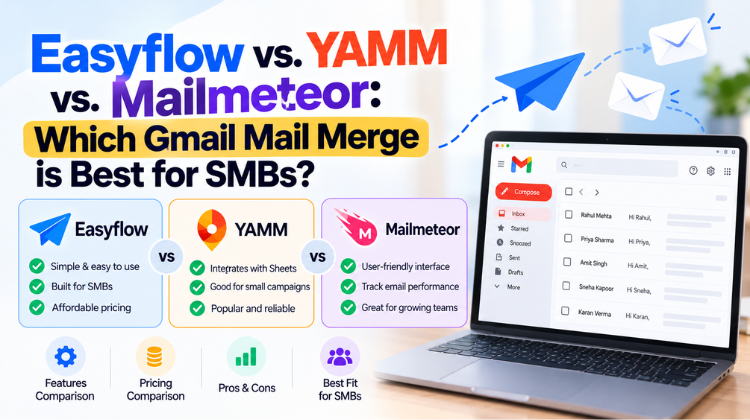 Easyflow vs. YAMM vs. Mailmeteor: Which Gmail Mail Merge is Best for SMBs?
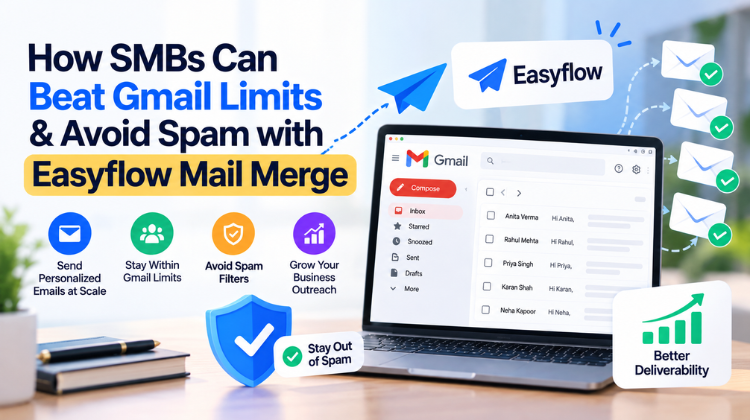 How SMBs Can Beat Gmail Limits & Avoid Spam with Easyflow Mail Merge 7 Best Gmail Mail Merge Tools for SMBs in 2026 (Featuring Easyflow, GMass, YAMM & More)
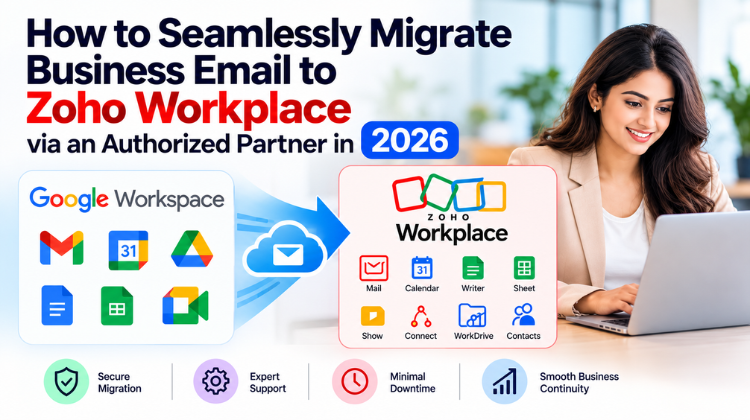 What Is the Safest Way to Buy a Zoho Workplace License Through a Partner?
 How to Seamlessly Migrate Business Email to Zoho Workplace via an Authorized Partner in 2026


© 2026 All Rights Reserved | Designed by Amyntas Media Works