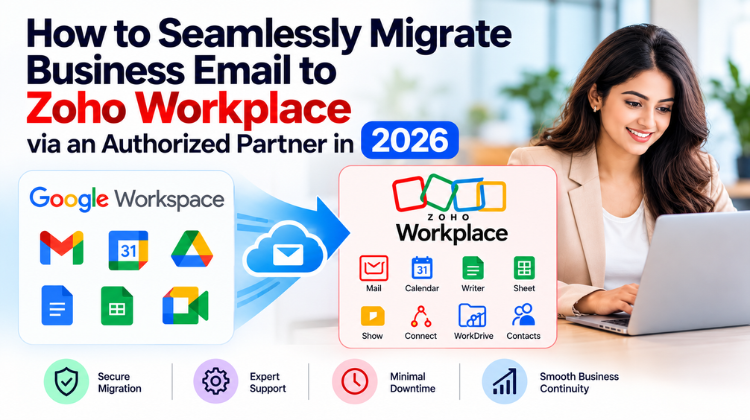
In today’s fast-paced digital ecosystem, business email is the nerve center of enterprise communication. As remote and hybrid workflows become the default operational standard, companies are moving away from bloated, expensive email hosting platforms in favor of unified, highly secure productivity suites. A top choice for growing enterprises, SMBs, and mid-market organizations is Zoho Workplace.
However, making a platform shift involves moving sensitive communications, legacy contacts, shared calendars, and critical cloud archives. A poorly executed switch can lead to lost files, misconfigured MX records, extended system downtime, or blacklisted IP addresses.
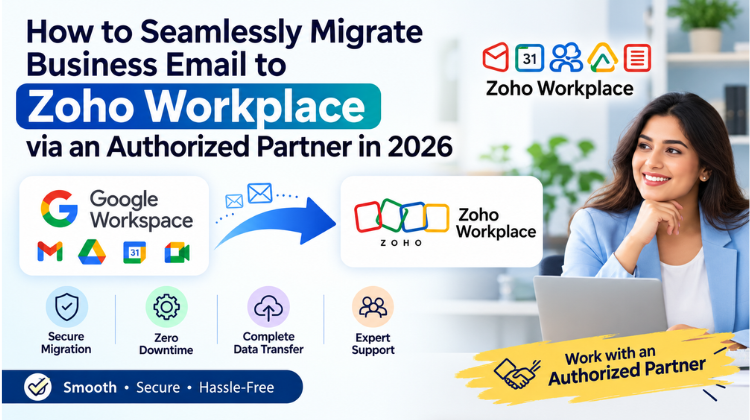
This is why modern organizations choose to migrate business email to Zoho Workplace with the aid of a certified external consultant. Partnering with a specialist ensures that technical setup, record verification, and data transfers happen cleanly behind the scenes without disrupting daily operations.
The Strategic Decision to Migrate Business Email to Zoho Workplace
Companies evaluate their software spend carefully, seeking platforms that deliver exceptional security, seamless collaboration, and long-term cost efficiency. Upgrading your infrastructure to a modern collaboration ecosystem transforms how your team handles internal and client-facing communication.
1. Cost Optimization Without Feature Loss
Legacy email providers often increase subscription costs without adding equivalent value. Deciding to migrate business email to Zoho Workplace opens up a cost-effective, full-suite alternative that bundles business email, cloud document editing, encrypted storage, team chat, and web conferencing at a fraction of standard industry pricing.
2. Built-in Security and Privacy Controls
Zoho Workplace features enterprise-grade security protocols, including ISO/IEC 27001 certifications, SOC 2 Type II compliance, TLS encryption, and S/MIME message protection. Furthermore, ad-free email environments protect your proprietary corporate communications from behavioral profile tracking and external data scanning.
3. Unified Collaboration Infrastructure
Rather than toggling between disconnected applications for file sharing, internal chat, and email, Zoho Workplace unifies communication under one interface. Features like Zoho Streams allow team members to comment on email threads, tag colleagues, and assign actionable tasks directly inside the inbox—reducing internal email clutter.
Why You Should Migrate Business Email to Zoho Workplace Through an Authorized Partner
While self-service migration tools exist, executing a large-scale data transition internally carries real operational risks. Working alongside a certified partner mitigates technical hurdles and ensures your system configuration adheres to industry best practices.
Zero Downtime and Risk Mitigation
When you migrate business email to Zoho Workplace using an authorized implementation team, your MX records, SPF, DKIM, and DMARC settings are staged and validated systematically. Expert engineers schedule data syncs in phased passes, ensuring zero email bounce-backs or missed customer inquiries during the transition.
Custom Infrastructure Mapping
Every company uses unique organizational structures, shared distribution groups, alias addresses, and calendar permissions. Certified partners design customized migration maps, preserving your legacy folder hierarchies, read/unread states, and shared contact books across all accounts.
Priority Technical Support and Onboarding
Direct partner support provides immediate access to dedicated technical specialists who can configure administrative rights, apply security retention policies, and resolve unexpected sync errors. Partners also offer structured user training to help staff adjust smoothly to the new software interface.
Pre-Migration Checklist: Preparing Your Business Infrastructure
A smooth technical transition requires thorough advance preparation. Review these essential tasks before starting the data migration process.
Step-by-Step Guide to Migrate Business Email to Zoho Workplace
Executing an enterprise-level transition requires a methodical, multi-phase approach. Follow these structured phases to ensure a smooth cutover.
1.Discovery, Scope, and Architecture Strategy:Establish account structures and user roles.
Begin by mapping out your organization’s mailbox architecture. Inventory all current accounts, shared mailboxes, global distribution lists, and file archives. Your technical partner configures the primary Zoho Workplace organization portal, defines user permissions, establishes multi-factor authentication (MFA) rules, and provisions licenses across departments.
2.Domain Provisioning and Security Protocol Setup:Configure SPF, DKIM, DMARC, and MX records.
To ensure optimal email deliverability and shield your domain from spoofing, your partner authenticates your web domain within the Zoho Mail Admin Console. This step involves generating and inserting custom TXT (SPF), DKIM (DomainKeys Identified Mail), and DMARC policy records into your DNS manager.
3.Delta Data Migration and Mailbox Transfer:Move legacy messages, contacts, and calendar schedules.
Using server-to-server protocol tools (such as IMAP/POP or direct API connections for Google Workspace and Microsoft 365), your partner initiates initial data syncs. Emails, attachments, calendar appointments, and contacts are copied securely into the new environment without interrupting daily workflow.
4.MX Record Cutover and Final Delta Synchronization:Switch live mail flow over to Zoho servers.
Once historical data has landed in the new accounts, your technical team updates your MX (Mail Exchanger) records to direct incoming traffic to Zoho’s mail servers. A final “delta migration” pass catches any new messages received during the propagation window, ensuring no communications are left behind.
5.Client Endpoint Configuration and Team Onboarding:Set up mobile devices, desktop apps, and web access.
Configure employee endpoints including web browsers, mobile apps (Zoho Mail, Cliq, WorkDrive), and third-party desktop clients like Outlook or Apple Mail using IMAP/Exchange setups. Admin teams run interactive training sessions so staff can navigate new collaboration features effectively.
Overcoming Common Technical Migration Challenges
Handling Massive Archives and Legacy Files
Migrating mailboxes exceeding 50 GB can strain traditional IMAP connections, occasionally causing session timeouts. Certified partners use dedicated administrative migration tools that process data through multi-threaded API pipelines. This guarantees fast, stable data transfers while retaining historical message metadata, header info, and inline attachments.
Protecting Domain Deliverability and IP Reputation
Modifying email infrastructure can temporarily flag automated security filters if SPF or DKIM parameters are misconfigured. Partners carefully manage security key propagation, running comprehensive health audits to verify that external mail servers accept your messages without flagging them as spam.
Managing Complex Coexistence and Staged Rollouts
For larger enterprises, switching all employees over in a single day may not be practical. Partner-led split-delivery configurations allow teams to move in phased groups. Legacy platforms and Zoho Workplace operate alongside each other seamlessly under a shared corporate domain until the cutover is complete.
Maximizing Business Productivity Post-Migration
Once you successfully migrate business email to Zoho Workplace, your company gains access to a fully integrated productivity ecosystem designed to streamline everyday operations.
Centralized Administration and User Lifecycle Management
The Zoho Admin Console gives IT teams granular control over account provisioning, storage allocations, password policies, and security settings. When an employee leaves, administrators can preserve mailbox data, revoke access, and reassign licenses with a few clicks.
Deep Integration Across the Business Tech Stack
Zoho Workplace integrates directly with Zoho CRM, Zoho Desk, and hundreds of third-party business tools. Employees can view CRM contact details, create support tickets, and reference client histories directly from their email inbox, saving time and reducing context switching.
#Zoho Workplace Migration #Business Email Migration #Zoho Mail Partner #Zoho Workplace Reseller #Email Migration Services #Zoho Partner Gurgaon #Amyntas Media Services #Google Workspace To Zoho #Office 365 To Zoho #Cloud Email Migration #Enterprise Email Solutions #Zero Downtime Migration #Zoho Mail Setup #DNS Configuration #SPFDKIM DMARC #Zoho Work Drive #Zoho Cliq #Zoho Meeting #Business Productivity Suite #Secure Business Email #Corporate Email Hosting #Zoho Implementation Partner #Email Security Protocols #Data Residency India #SaaS Cloud Migration #Shared Mailbox Migration #IMAP Migration #Zoho Admin Console #IT Infrastructure Upgrade #Workplace Collaboration #SMB Technology Solutions #Gurgaon IT Consultants
FAQ
Q1: What are the main business benefits when you migrate business email to Zoho Workplace via an authorized partner in 2026?
Answer: When you migrate business email to Zoho Workplace through an authorized partner, you gain a zero-downtime transition, full preservation of historical data, and expert handling of DNS records like SPF, DKIM, and DMARC. Authorized Zoho partners and Resellers customize the setup for your business workflows, provide hands-on user training, and offer local technical support. Additionally, businesses cut software licensing overhead by up to 60% compared to legacy suites while gaining access to integrated communication applications like Zoho Mail, WorkDrive, Cliq, and Meeting. How to Seamlessly Migrate Business Email to Zoho Workplace via an Authorized Partner in 2026.
Q2: How does an authorized partner ensure zero downtime while migrating business email to Zoho Workplace?
Answer: Authorized partners achieve zero downtime by executing phased, multi-stage data transfers. They configure the target Zoho Workplace environment, stage mailbox accounts, and perform an initial sync of historical data behind the scenes while your existing email service remains live. Once historical data is safely transferred, DNS MX records are updated to point to Zoho’s servers. A final delta synchronization catches any remaining messages, ensuring uninterrupted mail flow and zero lost messages. How to Seamlessly Migrate Business Email to Zoho Workplace via an Authorized Partner in 2026.
Q3: Why choose Amyntas Media Services in Gurgaon for your Zoho Workplace email migration?
Answer: Choosing Amyntas Media Services in Gurgaon provides your business with local implementation experts who understand regional business requirements, compliance mandates, and enterprise IT needs. Amyntas Media Services delivers end-to-end migration management—handling pre-migration audits, DNS and security protocol configurations, automated data syncing, and post-migration staff training. Their team ensures local businesses in Gurgaon and the NCR region enjoy personalized, on-demand support and smooth cutovers without operational friction. How to Seamlessly Migrate Business Email to Zoho Workplace via an Authorized Partner in 2026.
Q4: Can legacy calendars, contacts, and folder structures be preserved when migrating to Zoho Workplace?
Answer: Yes. When you migrate business email to Zoho Workplace, advanced server-to-server migration protocols allow you to transfer legacy emails, read/unread states, custom folder hierarchies, personal contacts, shared address books, and calendar schedules. Authorized partners configure automated mappings so every user’s inbox structure and calendar history matches their previous environment. How to Seamlessly Migrate Business Email to Zoho Workplace via an Authorized Partner in 2026.
Q5: How long does a full business email migration to Zoho Workplace typically take?
Answer: The migration timeline depends on total data volume, user count, and internet bandwidth. For small to mid-sized organizations (up to 50 users), an authorized partner can complete the entire lifecycle—from domain validation to final cutover—in 2 to 5 business days. Larger enterprises using staged cutovers or split-delivery mechanisms typically complete their rollout over 1 to 3 weeks with zero impact on daily communications. How to Seamlessly Migrate Business Email to Zoho Workplace via an Authorized Partner in 2026.
 What Is the Safest Way to Buy a Zoho Workplace License Through a Partner?
  How to Seamlessly Migrate Business Email to Zoho Workplace via an Authorized Partner in 2026
  Avoiding the Spam Folder: How to Mass Send Email Attachments safely in 2026
  How to Mass Mail Personalized PDFs from Google Sheets in 2026
  Setting Up Indian Payment Gateways for Your GoDaddy Reseller Storefront: A Complete Guide