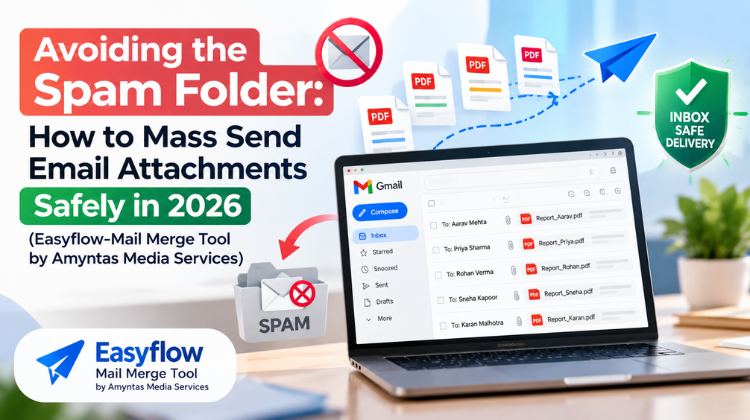
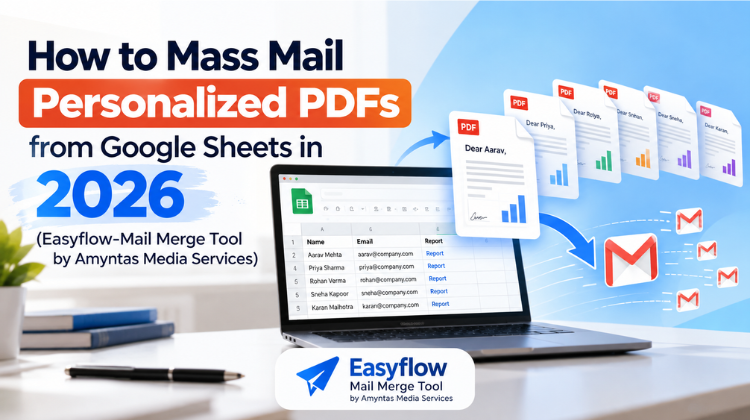
Managing large-scale email communication while attempting to mass mail personalized PDFs has become a double-edged sword for modern organizations. On one side, sending tailored invoices, progress reports, event tickets, and contracts directly to client inboxes saves hundreds of manual operational hours. On the other side, spam filtering algorithms enforced by major email providers in 2026 have reached an unprecedented level of strictness.
When you attach heavy files or send poorly formatted outreach in bulk, Internet Service Providers (ISPs) and email security gateways immediately raise red flags. A single mistake in domain authentication, send rates, or document structure can relegate your critical business communications to the dreaded spam folder—or worse, result in domain blacklisting.
To safely mass mail personalized PDFs without burning your sending domain reputation, you need a disciplined strategy that balances technical compliance with efficient workflow tools. By combining deliverability protocols with Easyflow: Mail merge for everyone by Amyntas media Services, your organization can automate large-scale PDF delivery while ensuring messages hit the primary inbox every single time. To know more about Avoiding the Spam Folder: How to Mass Send Email Attachments safely in 2026, contact Amyntasmedia.com today.
TABLE OF CONTENT
ToggleIn 2026, mailbox providers prioritize user safety above all else. Because malicious software and phishing scams frequently conceal threats inside attached documents, automated anti-spam filters apply strict scrutiny to any bulk email campaign containing attachments.
+---------------------------------------------------------------------------------+
|                         ATTACHMENT SPAM TRAPS IN 2026                           |
+---------------------+-----------------------------------------------------------+
| Unauthenticated Domain| Sending attachments without verified SPF, DKIM, & DMARC   |
+---------------------+-----------------------------------------------------------+
| Excessive File Size | Attaching uncompressed documents exceeding safe limits    |
+---------------------+-----------------------------------------------------------+
| Sudden Spike Volume | Dispatched hundreds of attachments instantaneously         |
+---------------------+-----------------------------------------------------------+
| Generic Body Copy   | Identical email text paired with different attachment IDs  |
+---------------------+-----------------------------------------------------------+
When you attempt to mass mail personalized PDFs without taking deliverability safeguards into account, spam detection engines analyze four key factors:
Sender Reputation & Authentication Status: Are your domain records (SPF, DKIM, DMARC) properly configured and aligned?
Email-to-Attachment Ratio: Does your email contain meaningful, personalized text in the body, or is it a blank message carrying an attachment?
Sending Velocity: Is your account dispatching hundreds of emails in a single second, or mimicking human sending behavior using staggered delays?
Recipient Engagement & Bounce Rates: Are your messages bouncing due to invalid addresses, or triggering user spam flags?
Understanding these mechanics allows you to configure your campaigns defensively using Easyflow: Mail merge for everyone by Amyntas media Services. To know more about Avoiding the Spam Folder: How to Mass Send Email Attachments safely in 2026, contact Amyntasmedia.com today.
You cannot safely mass mail personalized PDFs in 2026 without explicit domain authentication. Major inbox providers now outright reject bulk emails carrying attachments if they originate from unverified servers.
                  +-----------------------------------+
                  |   DNS RECORDS AUTHENTICATION      |
                  +-----------------------------------+
                                    |
          +-------------------------+-------------------------+
          |                         |                         |
          v                         v                         v
+-------------------+     +-------------------+     +-------------------+
|    SPF RECORD     |     |   DKIM SIGNATURE  |     |   DMARC POLICY    |
| Validates authorized|   | Cryptographic key |     | Dictates handler  |
| sending servers   |     | guarantees integrity|   | on check failure  |
+-------------------+     +-------------------+     +-------------------+
SPF explicitly lists which IP addresses and mail servers are authorized to send email on behalf of your domain. Ensure your DNS includes the correct SPF record for your workspace environment so recipient servers recognize your outgoing merge messages as legitimate.
DKIM attaches an encrypted digital signature to every outgoing message. When you mass mail personalized PDFs, DKIM verifies that neither the body text nor the attached document was tampered with in transit by a third party.
DMARC builds upon SPF and DKIM by telling receiving servers how to handle emails that fail authentication checks. Setting up a clear DMARC policy (p=none, moving toward p=quarantine or p=reject) signals to security algorithms that your brand actively monitors email security. To know more about Avoiding the Spam Folder: How to Mass Send Email Attachments safely in 2026, contact Amyntasmedia.com today.
Using Easyflow: Mail merge for everyone by Amyntas media Services allows teams to automate personalized PDF campaigns while adhering to modern deliverability guardrails.
+-----------------------------------------------------------------------------+
|               SAFE MASS MAILING WORKFLOW WITH EASYFLOW                      |
+-----------------------------------------------------------------------------+
| 1. Prepare & Clean Google Sheets Data (Filter out invalid emails)           |
| 2. Design Lightweight Google Doc / Slide Template                           |
| 3. Connect Easyflow: Mail merge for everyone by Amyntas media Services     |
| 4. Map Dynamic Dynamic Merge Fields & Set PDF Output Options                |
| 5. Configure Smart Batch Throttling & Send Test Draft                       |
| 6. Dispatch Mail Merge & Track Delivery Status Live in Google Sheets        |
+-----------------------------------------------------------------------------+
Before launching any merge campaign, audit your email database in Google Sheets. Remove duplicate entries, fix typos in domain extensions, and prune invalid addresses. High bounce rates severely damage sender score, which directly causes future attachments to land in spam.
Create your template using Google Docs or Google Slides. Keep branding assets and logos compressed. Large, high-resolution image files increase the final PDF size exponentially. Keeping your dynamic PDFs under 1 MB ensures fast transmission and prevents recipient inbox filtering based on file size.
| Element | Best Practice for Deliverability |
| Images/Logos | Compressed WebP or PNG format (< 200 KB) |
| Fonts | Standard Web Fonts (Arial, Roboto, Open Sans) |
| PDF File Size | Under 1 MB per generated attachment |
| Dynamic Tags | Double curly braces {{First Name}}, {{Invoice ID}} |
Launch Easyflow: Mail merge for everyone by Amyntas media Services directly from your spreadsheet extension tab. The tool intuitively maps your spreadsheet column headers to template tags, ensuring every record is correctly associated with its dynamic recipient.
Never send an email that contains only a PDF attachment. Write a meaningful email body that incorporates personalized fields (e.g., Hello {{First Name}}, please find your statement attached...). Maintaining a healthy text-to-attachment ratio is essential when learning how to safely mass mail personalized PDFs.
Rather than blasting hundreds of emails simultaneously—a behavior that immediately flags spam detection engines—Easyflow: Mail merge for everyone by Amyntas media Services uses built-in sending pace controls to distribute emails in controlled intervals. This mimics authentic human sending patterns and preserves domain reputation. To know more about Avoiding the Spam Folder: How to Mass Send Email Attachments safely in 2026, contact Amyntasmedia.com today.
While developers can attempt to write custom scripts to mass mail personalized PDFs, maintaining custom code leads to frequent execution timeouts, API errors, and security vulnerabilities.
Organizations choose Easyflow: Mail merge for everyone by Amyntas media Services because it provides an enterprise-ready, user-friendly interface built specifically for Google Workspace ecosystems.
+-------------------------------------------------------------------------+
|    CUSTOM CODE VS. EASYFLOW BY AMYNTAS MEDIA SERVICES COMPARISON        |
+-------------------------------+-----------------------------------------+
| Custom Script / Manual Merge  | Easyflow: Mail merge for everyone      |
+-------------------------------+-----------------------------------------+
| High risk of timeout errors   | Automatic background batch handling     |
| Complex code maintenance      | Clean, zero-code visual field mapping   |
| Uncontrolled send speed       | Built-in rate throttling & protection   |
| No real-time status logging   | Live cell updates directly in Sheets    |
| Zero technical support        | Dedicated enterprise support team       |
+-------------------------------+-----------------------------------------+
Zero-Code Simplicity: Allows non-technical staff across HR, billing, marketing, and operations to run complex mail merges effortlessly.
Seamless Workspace Integration: Connects Google Sheets data, Google Docs design templates, and Gmail delivery without leaving your browser.
Real-time Delivery Tracking: Updates status columns row by row as emails dispatch, making it easy to identify successful delivers or bounces instantly.
Reliable Scalability: Designed to handle growing email databases while staying within standard Workspace daily limits. To know more about Avoiding the Spam Folder: How to Mass Send Email Attachments safely in 2026, contact Amyntasmedia.com today.
To ensure long-term inbox placement when you mass mail personalized PDFs, implement these technical and operational best practices:
+-------------------------------------------------------------------------+
|                  DELIVERABILITY BEST PRACTICES CHECKLIST                |
|                                                                         |
|  [x] Maintain Spam Complaint Rates Below 0.1%                           |
|  [x] Include Clear Unsubscribe Links or Opt-Out Instructions           |
|  [x] Warm Up New Domains Gradually Before High-Volume Runs               |
|  [x] Avoid Spam Trigger Words in Email Subject Lines                    |
|  [x] Monitor Domain Reputation on Google Postmaster Tools               |
+-------------------------------------------------------------------------+
Keep user spam complaints well below 0.1% (less than 1 spam mark per 1,000 sent messages). Always ensure recipients have opted in to receive communications, and provide an easy method for clients to update their preferences.
If you are sending from a newly created workspace domain, do not attempt to mass mail personalized PDFs to hundreds of contacts on day one. Start by sending small, daily batches (20–50 messages) to engaged users, gradually scaling volume over several weeks to build domain trust.
Refrain from using aggressive, manipulative phrasing in your email subject lines or body text (e.g., “URGENT!!! READ IMMEDIATELY”, “FREE CASH”, “ACT NOW OR LOSE OUT”). Pair crisp, professional messaging with your attached PDF files. To know more about Avoiding the Spam Folder: How to Mass Send Email Attachments safely in 2026, contact Amyntasmedia.com today.
#mass mail personalized pdfs #avoid spam folder email attachments #easyflow mail merge #amyntas media services #safe bulk email attachments #google sheets mail merge pdf #google workspace email deliverability #spf dkim dmarc mail merge #prevent email attachments going to spam #bulk pdf emailer google sheets #automated pdf generation google docs #gmail attachment limits 2026 #mail merge rate throttling #send bulk personalized invoices #google sheets to pdf merge #no code email automation #email sender reputation best practices #warm up domain email merge #batch email send google sheets #personalized report generator #google docs template mail merge #avoid gmail spam filters #clean email list mail merge #easyflow google workspace add on #automated client document delivery #safe mass email attachments #secure mail merge tool #dynamic email attachment generator #google sheets add on mail merge #deliverability guide bulk pdfs
Answer: To prevent emails with attached files from landing in the spam folder when you mass mail personalized PDFs in 2026, ensure your sending domain has active SPF, DKIM, and DMARC authentication records configured in your DNS. Additionally, maintain a healthy body-text-to-attachment ratio, keep individual PDF file sizes under 1 MB, clean your mailing list to eliminate dead addresses, and use Easyflow: Mail merge for everyone by Amyntas media Services to throttle outgoing send speeds safely within workspace quotas. To know more about Avoiding the Spam Folder: How to Mass Send Email Attachments safely in 2026, contact Amyntasmedia.com today.
Answer: Standard Google Apps Script sends emails at maximum system velocity without built-in queue management, which often triggers ISP rate-limiting, unhandled script timeouts, and spam security flags. Easyflow: Mail merge for everyone by Amyntas media Services is specifically designed with intelligent batch handling, error catching, and controlled dispatch rates, ensuring your domain maintains a high sender reputation without custom code breaking during execution. To know more about Avoiding the Spam Folder: How to Mass Send Email Attachments safely in 2026, contact Amyntasmedia.com today.
Answer: The ideal and safest file size when you mass mail personalized PDFs using Easyflow: Mail merge for everyone by Amyntas media Services is under 1 MB per attachment. While Google Workspace permits larger total message sizes, keeping PDF files compressed speeds up merge execution, consumes less bandwidth for recipients on mobile devices, and prevents inbox security gateways from flagging messages for heavy resource usage. To know more about Avoiding the Spam Folder: How to Mass Send Email Attachments safely in 2026, contact Amyntasmedia.com today.
Answer: Easyflow: Mail merge for everyone by Amyntas media Services respects standard Google Workspace daily sending quotas (typically 2,000 emails per day for paid Workspace accounts and 500 per day for free Gmail accounts). The add-on tracks sent message counts in real time directly within your Google Sheet, preventing account suspensions by pausing merges when daily limits are approached. To know more about Avoiding the Spam Folder: How to Mass Send Email Attachments safely in 2026, contact Amyntasmedia.com today.
Answer: No, you do not need any coding or technical experience to mass mail personalized PDFs using Easyflow: Mail merge for everyone by Amyntas media Services. The tool features a visual, user-friendly interface that guides you through selecting your Google Sheet data, picking a document template, mapping dynamic tag placeholders with double curly braces {{tag}}, and launching automated email dispatch with a single click. To know more about Avoiding the Spam Folder: How to Mass Send Email Attachments safely in 2026, contact Amyntasmedia.com today.
 What Is the Safest Way to Buy a Zoho Workplace License Through a Partner?
  How to Seamlessly Migrate Business Email to Zoho Workplace via an Authorized Partner in 2026 Avoiding the Spam Folder: How to Mass Send Email Attachments safely in 2026
  How to Mass Mail Personalized PDFs from Google Sheets in 2026
  Setting Up Indian Payment Gateways for Your GoDaddy Reseller Storefront: A Complete Guide


© 2026 All Rights Reserved | Designed by Amyntas Media Works