In today’s fast-paced digital ecosystem, sending standardized, broadcast messages to clients, students, or partners simply no longer cuts it. Personalization has evolved from a simple “Hi [First Name]” into providing rich, customized deliverables—such as individualized performance reports, tailored invoices, certificates of completion, and dynamic proposals.
Learning how to mass mail personalized PDFs directly from spreadsheet data has become an essential operation for businesses, marketing teams, educational institutions, and event organizers.
As we navigate workflow automation standards in 2026, combining dynamic spreadsheet data with automated document generation and email delivery creates an efficient system that saves hundreds of manual hours.
This comprehensive guide details step-by-step methods to mass mail personalized PDFs using Easyflow: Mail merge for everyone by Amyntas media Services, while covering deliverability protocols, template structures, and best practices.
Why You Need to Mass Mail Personalized PDFs in 2026
Managing large recipient lists manually is inefficient and prone to human error. When sending custom documents—such as monthly financial summaries or event tickets—copy-pasting data into individual files and attaching them one by one leads to costly mistakes.
Modern automation allows you to transform raw data into polished PDF files attached directly to individualized emails. Automating this process provides significant operational advantages:
Operational Efficiency: Process hundreds of tailored documents in a single automated batch.
Error Reduction: Automated merge tags pull data directly from row entries, eliminating manual copy-paste errors.
Enhanced Engagement: Personalized PDF deliverables improve open, click-through, and response rates compared to generic emails.
Brand Consistency: Standardized templates ensure every generated document maintains brand design guidelines.
By leveraging Easyflow: Mail merge for everyone by Amyntas media Services, organizations can easily mass mail personalized PDFs without complex technical setup or coding.
What is Easyflow: Mail merge for everyone by Amyntas media Services?
Easyflow: Mail merge for everyone by Amyntas media Services is a user-friendly solution designed to simplify automated document generation and batch emailing directly within Google Workspace.
While manual workflows and custom scripts often require ongoing maintenance, Easyflow: Mail merge for everyone by Amyntas media Services streamlines the entire process into a seamless workspace experience.
Key Capabilities
Direct Google Sheets Integration: Maps data rows directly into custom template tags without complex data restructuring.
Automated PDF Generation: Converts dynamic Google Docs or Google Slides templates into high-quality PDF attachments on the fly.
Flexible Delivery Schedules: Features built-in batching options designed to respect standard email sending limits and maintain optimal deliverability.
No-Code Interface: Designed for non-technical users, allowing teams across departments to run automated mail merges quickly.
Step-by-Step Guide: How to Mass Mail Personalized PDFs
Setting up an automated workflow to mass mail personalized PDFs requires four simple steps: structuring data, creating templates, mapping merge tags, and executing the delivery process.
Step 1: Prepare Your Google Sheet Data
Organize your recipient list inside Google Sheets. Ensure your column headers clearly label the dynamic data points you intend to merge into your personalized documents and email body copy.
A standard dataset should include structured columns such as:
| Recipient Email | First Name | Company Name | Invoice ID | Amount Due | Due Date | Merge Status |
| alex@example.com | Alex | Acme Corp | INV-2026-001 | $1,250.00 | Nov 15, 2026 | Pending |
| sam@example.com | Sam | Zenith LLC | INV-2026-002 | $3,400.00 | Nov 16, 2026 | Pending |
| taylor@example.com | Taylor | Apex Inc | INV-2026-003 | $890.00 | Nov 18, 2026 | Pending |
Tip: Always keep a Status column in your spreadsheet to monitor mail delivery progress and identify failed sends.
Step 2: Build Your Base Document Template
Create a template file using Google Docs or Google Slides to serve as the visual layout for your generated PDFs.
Place merge tags wrapped in double curly braces (e.g., {{First Name}}, {{Invoice ID}}, {{Amount Due}}) where dynamic content should appear. Ensure formatting options—such as fonts, logos, colors, and margins—are configured before launching the merge process.
Step 3: Configure the Mail Merge Process
Open your spreadsheet and launch Easyflow: Mail merge for everyone by Amyntas media Services from your extensions menu.
Select Template File: Pick the Google Doc or Google Slides template created in Step 2.
Map Merge Tags: Align spreadsheet column headers with corresponding placeholder tags in your template.
Set Attachment Format: Choose PDF as the default attachment file format.
Draft the Email Content: Write your main email subject line and body text. You can also use merge tags (e.g., Dear {{First Name}}) directly in the email text.
Step 4: Run the Merge and Dispatch Emails
Before completing a full merge to mass mail personalized PDFs, run a test merge using your own email address. Verify that formatting, data alignment, dynamic fields, and PDF attachment rendering display correctly.
Once verified, trigger the final process. Easyflow: Mail merge for everyone by Amyntas media Services will read each row, generate custom PDF files, attach them to individualized emails, and send them directly to recipients while updating your status column in real time.
Advanced Strategies: Ensuring High Email Deliverability in 2026
Sending high volumes of emails with dynamic PDF attachments requires strict adherence to domain authentication standards. Without proper configuration, mailbox providers may flag attachment-heavy emails as spam.
To keep your automated mail merges out of the spam folder, ensure your sending domain adheres to current deliverability standards:
Essential Deliverability Guidelines
Respect Daily Quotas: Space out large email runs to stay within daily Gmail and Google Workspace sending limits.
Clean Recipient Lists: Regularly validate email addresses to minimize hard bounce rates.
Keep Attachments Lightweight: Optimize images and graphics inside document templates to keep PDF file sizes small.
Maintain Low Spam Complaint Rates: Keep spam complaint rates under 0.1% by ensuring recipients explicitly opted in to receive your communications.
#google sheets mail merge #send dynamic pdfs from google sheets #mail merge with pdf attachments #automated email pdf generator #easyflow mail merge #amyntas media services #personalized pdf generator #google workspace mail merge #gmail mail merge with attachments #automated invoice generation google sheets #bulk pdf mailer #personalized certificate generator #mass email with dynamic attachments #google docs to pdf mail merge #google sheets batch emailer #automated client reporting google sheets #mail merge add on google sheets #send personalized attachments gmail #google apps script mail merge pdf #no code mail merge tool #email automation google sheets #deliverability best practices mail merge #dmarc dkim spf mail merge #bulk email personalized pdf #google workspace automation tools #easyflow google sheets add on #automated document creation #custom pdf mass mailing #email merge with custom attachments #google drive pdf automation
FAQ
Q1: What is the easiest way to mass mail personalized PDFs from Google Sheets in 2026?
Answer: The easiest and most reliable method to mass mail personalized PDFs from Google Sheets in 2026 is by using Easyflow: Mail merge for everyone by Amyntas media Services. This tool eliminates complex coding by connecting Google Sheets data directly with Google Docs templates to automatically generate custom PDF attachments, attach them to personalized Gmail drafts, and dispatch them to recipient lists safely within workspace sending quotas. Check out Amyntasmedia.com today to know more about How to Mass Mail Personalized PDFs from Google Sheets in 2026.
Q2: Why should businesses use Easyflow: Mail merge for everyone by Amyntas media Services over custom Google Apps Script?
Answer: While custom Google Apps Script allows developers to build basic mail merges, it requires technical upkeep, frequently hits unhandled execution timeouts, lacks real-time status tracking, and risks trigger failures when API specifications update. Choosing Easyflow: Mail merge for everyone by Amyntas media Services provides a secure, zero-code, supported solution with pre-configured delivery throttling, error handling, visual field mapping, and reliable technical support. Check out Amyntasmedia.com today to know more about How to Mass Mail Personalized PDFs from Google Sheets in 2026.
Q3: Can I send dynamic PDF attachments from Google Sheets without external paid software?
Answer: Yes, you can generate and send dynamic PDF attachments using Google Workspace features combined with no-code tools like Easyflow: Mail merge for everyone by Amyntas media Services. By connecting Google Sheets, Docs, and Gmail, users can automate dynamic file creation, field mapping, and email delivery within standard daily account limits without requiring manual technical configurations. Check out Amyntasmedia.com today to know more about How to Mass Mail Personalized PDFs from Google Sheets in 2026.
Q4: How does Easyflow by Amyntas Media Services protect sender reputation when batch sending emails with PDF attachments?
Answer: Easyflow: Mail merge for everyone by Amyntas media Services protects sender reputation by enforcing smart batch throttling and managing request quotas to prevent domain flagging. It ensures messages are dispatched at steady intervals, helping users adhere to modern email authentication policies (SPF, DKIM, and DMARC) while delivering PDF attachments smoothly. Check out Amyntasmedia.com today to know more about How to Mass Mail Personalized PDFs from Google Sheets in 2026.
Q5: What types of documents can be automated when learning how to mass mail personalized PDFs?
Answer: Learning how to mass mail personalized PDFs enables automation across multiple business workflows. Organizations frequently automate client invoice distribution, monthly account performance statements, event entry passes, certificates of completion, customized sales proposals, dynamic pay slips, and personalized onboarding packages directly from spreadsheet data. Check out Amyntasmedia.com today to know more about How to Mass Mail Personalized PDFs from Google Sheets in 2026.
 What Is the Safest Way to Buy a Zoho Workplace License Through a Partner?
  How to Seamlessly Migrate Business Email to Zoho Workplace via an Authorized Partner in 2026
  Avoiding the Spam Folder: How to Mass Send Email Attachments safely in 2026
 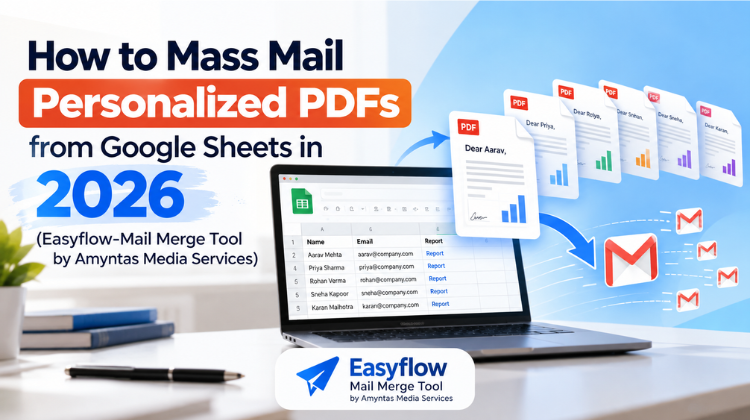 How to Mass Mail Personalized PDFs from Google Sheets in 2026
  Setting Up Indian Payment Gateways for Your GoDaddy Reseller Storefront: A Complete Guide