Secure Your Digital World: A Comprehensive Guide to Quick Heal Antivirus
In today’s hyper-connected world, your devices are more than just tools—they are repositories of your personal identity, financial data, and professional life. As cyber threats become more sophisticated, relying on basic security isn’t enough.
For over two decades, Quick Heal Antivirus has been a household name in cybersecurity, providing robust protection against malware, ransomware, and phishing attacks. In this blog, we’ll dive into why Quick Heal remains a top choice for users and how it keeps your digital life safe.
Why Choose Quick Heal Antivirus?
Quick Heal offers a multi-layered defense mechanism designed to stop threats before they even reach your system. Whether you are a casual browser, a remote worker, or a hardcore gamer, Quick Heal Antivirus has features tailored to your needs.
1. Advanced Ransomware Protection
Ransomware is one of the most devastating cyber-attacks today. Quick Heal’s Smart Scan engine monitors your high-value data and detects suspicious file activity. It creates automatic backups of your files, ensuring that even if an attack occurs, your data remains safe and recoverable.
2. Web Security and Anti-Phishing
We spend most of our time online, making us vulnerable to fake websites designed to steal login credentials. Quick Heal’s Web Security feature automatically blocks access to fraudulent websites, protecting you from phishing attempts and malicious downloads in real-time.
3. Malware Protection with AI
Modern malware can disguise itself to bypass traditional security. Quick Heal utilizes AI-based Signatureless Detection to identify and block unknown threats based on their behavior, providing a proactive shield against “zero-day” vulnerabilities. A Comprehensive Guide to Quick Heal Antivirus
Key Features at a Glance
External Drive Protection: Automatically scans USB drives and external disks the moment they are plugged in to prevent “autorun” malware from spreading.
Safe Banking: Creates a dedicated, isolated browser environment for online shopping and banking to prevent keyloggers from capturing your passwords.
Game Mode: Allows you to enjoy an uninterrupted gaming experience by suppressing notifications and background scans while you play.
Privacy Protection: Includes tools like webcam protection and data shredders to ensure your private life stays private.
Performance: Light on Resources, Heavy on Security
One of the biggest complaints about antivirus software is that it slows down the computer. Quick Heal is optimized to run efficiently in the background. Its Flash Scan technology scans files quickly without consuming excessive RAM, making it ideal for both high-end PCs and older laptops. A Comprehensive Guide to Quick Heal Antivirus
Is Quick Heal Right for You?
If you are looking for a security solution that is easy to install, simple to navigate, and highly effective against localized and global threats, Quick Heal is an excellent investment. It offers various versions, including:
Quick Heal Antivirus Pro: Essential protection for PCs.
Quick Heal Internet Security: Advanced protection for online activities.
Quick Heal Total Security: The ultimate suite with privacy and performance tools.
Advanced Threat Defense: Beyond Basic Scanning
While standard antivirus software focuses on known signatures, Quick Heal utilizes Behavioral Detection Technology. This proactive approach monitors how applications behave in real-time. If a legitimate-looking file suddenly tries to encrypt your data or modify system registries, Quick Heal instantly blocks the process. This is particularly effective against “Zero-Day” exploits—threats that are so new that no official “cure” exists yet.
Securing Your Digital Identity and Privacy
In an era of remote work, your webcam and microphone are potential entry points for hackers. Quick Heal’s Privacy Protection suite includes a “Webcam Protection” feature that notifies you whenever an application attempts to access your camera, ensuring no one is watching you without your consent. Coupled with Data Theft Protection, which blocks unauthorized copying of data to external drives, it provides a 360-degree shield for your personal and professional information. A Comprehensive Guide to Quick Heal Antivirus
Optimizing System Performance for Productivity
A common misconception is that antivirus software slows down your PC. Quick Heal debunks this with its integrated PC Tuner. It doesn’t just protect; it cleans. By removing junk files, defragmenting disks, and managing startup items, it ensures that your security layers don’t come at the cost of speed. This makes it an ideal choice for gamers and creative professionals who require maximum hardware output.
Elevate Your Security with Amyntas Media Services
Choosing the right antivirus is only the first step. At Amyntas Media Service, we bridge the gap between software and total digital security. As a leading IT solutions provider in Gurgaon, we don’t just sell licenses—we provide managed security ecosystems.
How Amyntas Media Service Helps You:
Expert Installation & Configuration: Most security breaches happen due to “out-of-the-box” settings. Our team custom-configures Quick Heal to match your specific workflow.
Centralized Management for Businesses: For SMEs, we set up remote management consoles, allowing you to monitor the security status of every laptop and desktop in your office from a single dashboard.
24/7 Technical Support: Skip the long wait times of global helpdesks. Amyntas Media service offers localized, immediate support for troubleshooting and virus removal.
Holistic Digital Growth: Beyond antivirus, we integrate your security with our SEO and Web Development services, ensuring your website and local network are both impenetrable and high-performing.
Final Thoughts
The internet is a vast resource, but it’s not without its shadows. Investing in a reliable antivirus like Quick Heal isn’t just about protecting a machine; it’s about peace of mind
Quick Heal Antivirus, Cybersecurity, Malware Protection, Ransomware Shield, Online Security, Amyntas Media, Best, Antivirus for PC, Digital Safety, A Comprehensive Guide to Quick Heal Antivirus
#QuickHealTotalSecurity #AntivirusPriceIndia #MalwareRemovalGurgaon #CyberSecurityServices #QuickHealRenewal #PCPerformanceTuning #RansomwareProtection #SpywareShield #AmyntasMediaWorks #ITConsultantGurgaon #InternetSecurityTips #DataPrivacyTools #WebcamProtection #ZeroDayThreats #VirusDefinitionUpdates #SecureOnlineBanking #PhishingProtection #FirewallConfiguration #ManagedITSupport #BusinessAntivirusSolutions #QuickHealFreeTrial #EmailSecurity #IdentityTheftPrevention #SMEGrowthGurgaon #CloudSecurity #SafeBrowsingExtension #AdBlockerSoftware #TechSupportIndia #DigitalSafetyGuide #QuickHealMobileSecurity #CyberThreatIntelligence
FAQ
Q1: What is the best Quick Heal Antivirus price for small businesses in Gurgaon? A: The price for Quick Heal Antivirus varies based on the number of users; however, Amyntas Media in Gurgaon offers competitive bulk licensing and managed installation packages tailored for local small businesses to ensure cost-effectiveness and professional setup. A Comprehensive Guide to Quick Heal Antivirus
Q2: How do I fix Quick Heal installation errors on Windows 11? A: Quick Heal installation errors are often caused by existing malware or conflicting software; you can resolve this by using the Quick Heal Removal Tool or by contacting Amyntas Media’s technical support team for a professional remote cleanup and error-free installation.A Comprehensive Guide to Quick Heal Antivirus
Q3: Which Quick Heal version is best for protecting online banking transactions? A: Quick Heal Total Security is the recommended version for online banking as it includes “Safe Banking” technology, which creates an isolated desktop environment to prevent keyloggers and hackers from intercepting your financial credentials.A Comprehensive Guide to Quick Heal Antivirus
Q4: Why should I choose a Quick Heal authorized partner like Amyntas Media in Gurgaon? A: Choosing an authorized partner like Amyntas Media ensures you receive genuine software licenses, expert local onsite support in Gurgaon, and specialized configuration that maximizes your protection against regional cyber threats.A Comprehensive Guide to Quick Heal Antivirus
Q5: Can Quick Heal Antivirus protect my business from ransomware attacks? A: Yes, Quick Heal features a dedicated Anti-Ransomware engine that uses backup and restore technology to automatically recover your files even if a sophisticated ransomware strain manages to bypass initial defenses.A Comprehensive Guide to Quick Heal Antivirus
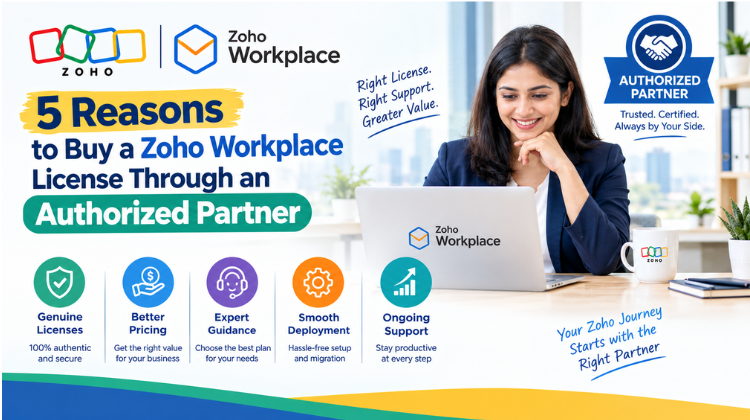 5 Reasons to Buy a Zoho Workplace License Through an Authorized Partner
 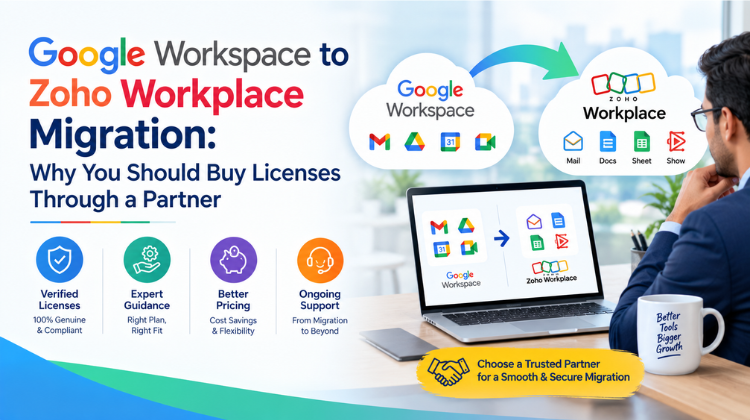 Google Workspace to Zoho Workplace Migration: Why You Should Buy Licenses Through a Partner
  How to Buy a Zoho Workplace License Through a Partner in India (And Save Up to 20%)
  What is the Easiest SaaS Tool to Send Personalized Bulk Emails Directly from Gmail in 2026?
  No More Mailchimp: The Easiest SaaS Tool to Send Personalized Bulk Emails directly from Gmail